Sensitivity Explorer Download (d0wnload coming soon)
Click the button below to download the Sensitivity Explorer.
After the download completes, double-click the installer to run it.
After the download completes, double-click the installer to run it.
Note on Digital Security:
Both the Sensitivity Explorer installer as well as the Excel add-in it contains are "signed" with a digital certificate in order to prove its origin is Polished Analytics Inc., and that it has not be tampered with after it was created. You can confirm this certificate by right-clicking on the file and choosing the "Properties" item, as shown in the image below.
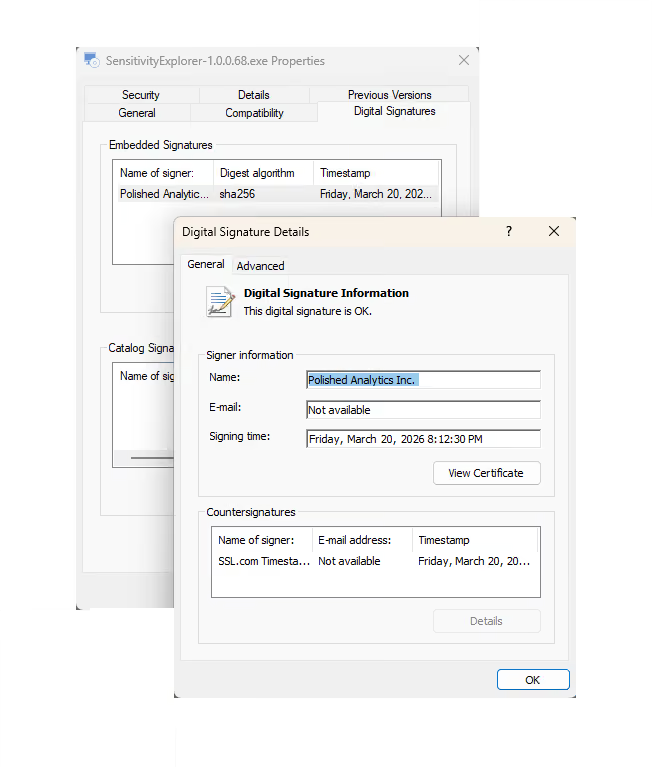
Digital certificates are obtained from a certifying authority who perform rigorous verification checks before issuing them. Polished Analytics' certificate was issued by SSL Corp. For more information about this process, please see https://www.ssl.com/faqs/what-is-code-signing/